22/10/2026 07:13
Seat Request or Confirmed Place? Telegram Join Requests for Cambodian Flower-Arranging Workshops
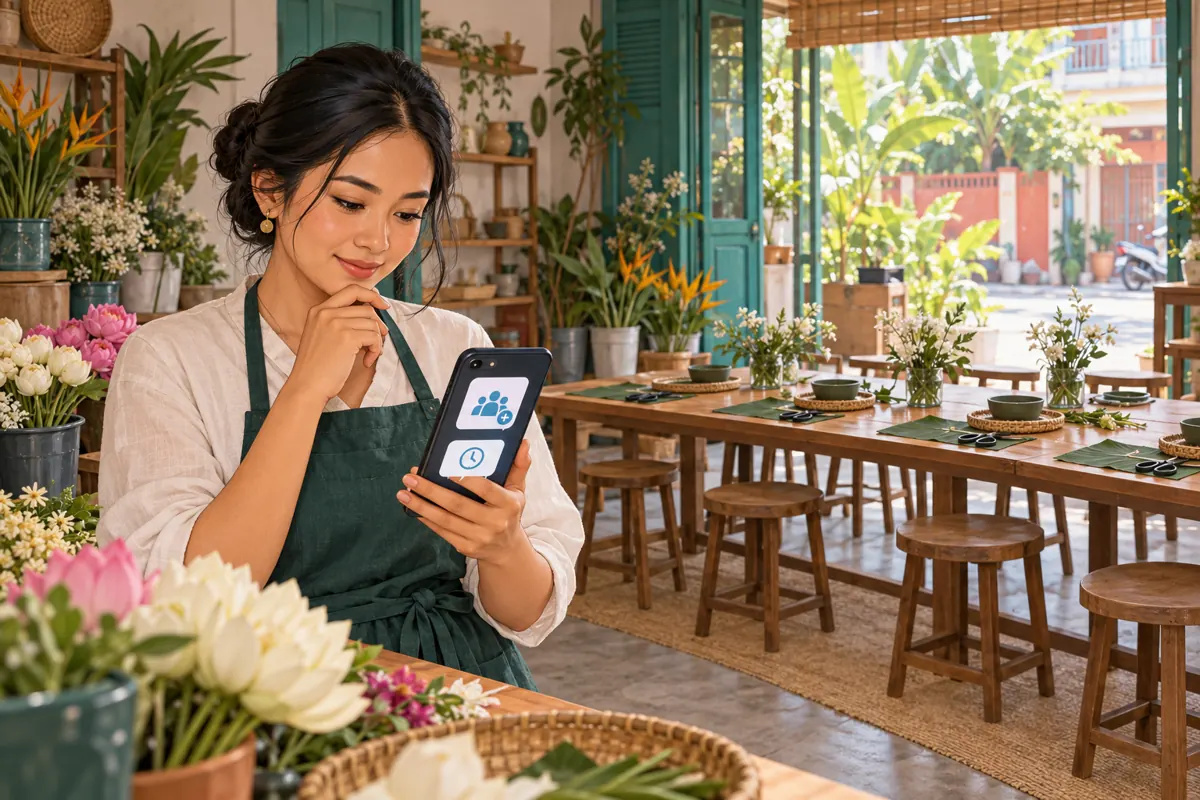
A flower-arranging workshop can attract attention before its owner knows how many people will actually attend. Someone opens a Telegram invitation, another asks about the teaching language, and a third wants to bring a friend. These actions deserve different responses. Treating every new group member as a booked participant can leave a Cambodian studio preparing flowers for people who never agreed to come. Telegram join requests offer a useful point for reviewing group access, provided the studio defines what approval means. This guide explains how to build that distinction into the invitation, staff routine and promotional review, including where an SMM panel service does—and does not—fit.
1. Decide what the group is for before promoting it
Choose between an enquiry group and a participant group. An enquiry group welcomes people who are considering a class; joining should not imply a purchase. A participant group supports people whose places the studio has already confirmed. Both can be useful, but combining their purposes makes ordinary questions harder to interpret. A person asking about transport may be exploring the idea or preparing to attend.
For a hypothetical Phnom Penh flower studio, a public promotional post could explain the class while a separate participant group handles preparation instructions. The post directs interested readers to the studio's booking contact. After confirmation, the studio shares the participant invitation. This arrangement gives the approval decision a concrete purpose: matching a request to an existing booking, rather than guessing whether a profile looks interested.
2. Understand the limited job of admin approval
Telegram's official join-request announcement explains that additional invite links can require admin approval. A person opening such a link can submit a request, which an administrator can approve or dismiss. The same announcement describes names for additional links, helping administrators distinguish their uses. These are access-management features; the studio must supply its own booking process.
Write a simple internal rule: approval means permission to enter this group. It does not, by itself, establish an agreed date, participant count, payment status or materials allocation. For an enquiry group, approving someone may simply let them ask questions. For a participant group, staff should check the booking record first. Keeping this rule explicit prevents a well-meaning assistant from turning an access decision into an accidental sales promise.
3. Explain the next step before someone taps
The invitation's surrounding text should answer the questions a prospective participant needs to resolve: what they will make, where the studio is, which language the instructor uses, what materials are included and how to request a place. State the actual date and local start time rather than relying on a relative phrase such as next Sunday. If the lesson suits beginners, explain what beginners will receive help with.
For the hypothetical participant group, suitable wording would be: 'Already received your booking confirmation? Request access to the class group using this link. Please contact the studio if your Telegram name differs from your booking name.' An enquiry invitation needs different wording: 'Join to ask about the workshop; group access does not reserve a seat.' Adapt customer-facing copy into the language those customers understand, with staff checking that the booking distinction survives translation.
4. Create and test the intended invitation
Using an authorized administrator account, open the intended group's invitation settings and create an additional link with admin approval enabled. Give it a descriptive internal name tied to its purpose, such as the class date and participant access. Menu wording can vary between app versions, so verify the saved setting instead of relying only on a remembered sequence of taps.
Ask a colleague who is not already a member to test that exact link. Their task is to report which group appears and whether they encounter the expected request step. The administrator then checks the incoming request and completes the agreed test. Record the result before putting the link into promotional material. Testing with an existing member can miss the experience a newcomer will have.

5. Review all routes into the participant group
An approval setting on one invitation is not a reason to stop checking other entry routes. Telegram's invite-link documentation distinguishes public usernames from private invitation links and describes approval requirements for private links. For a participant-only space, review the group's visibility and the invitations staff have previously shared. The operational question is whether every intended newcomer encounters the access process the studio expects.
Use a short destination register: the promotional post, the booking contact and the participant invitation. Note who maintains each item. If a staff member shares an older invitation from a saved conversation, check it before reusing it. Do not assume a link is suitable merely because it opens the correct group. The group destination and the entry conditions are separate things to verify.
6. Match requests without judging people by their profiles
For a participant group, compare the request with the booking conversation or reference already held by the studio. A display name alone may not be enough: someone may use a nickname, or a family member may have arranged the booking. Ask for clarification through the established studio contact rather than requesting identity documents in the group.
Keep the review proportionate. The useful question is whether this account should receive the class information, not whether its photograph looks professional or its biography seems local. If no match is available, mark the request for follow-up in the studio's working record. Do not describe it as a rejected customer or a failed sale. The person may simply have used a different name or opened the wrong class invitation.
7. Give staff a response routine they can sustain
Assign one person to review requests and a backup for teaching hours. Choose review times that fit the studio's workload, then explain the expected response window near the invitation. Avoid promising immediate approval while the only administrator is demonstrating stem preparation. An honest response window helps prospective participants distinguish a normal wait from a broken link.
Use a minimal working record containing the class, booking reference, requesting account, review status and responsible staff member. Keep access approval separate from booking confirmation. In a hypothetical case, a customer might have a confirmed place while their group request still needs matching. The correct action is to resolve access, not ask them to book again. Staff should also know which contact handles urgent arrival questions.
8. Keep SMM member services outside the seat count
One public catalogue example supplied for khmer-boost.com is “Telegram Channel/Group Members ~ Max 1M ~ 500k/days ~ Instant ~ 𝐍𝐎 𝗥𝗘𝗙𝗜𝗟𝗟”. Its title identifies a member service, but the supplied description is empty. The speed, capacity and other wording in that title should not be treated as independently verified performance. There is no supporting description establishing compatibility with an approval-based participant group.
Such a listing does not establish that supplied accounts are Cambodian workshop prospects, understand the class information or intend to attend. Purchased engagement is not evidence of genuine interest, sales, ad delivery or Cambodian users. Do not submit a participant-group invitation merely to make the group look busy, and do not remove approval controls to accommodate an unclear service requirement. For this workshop objective, put the effort into clear demonstrations, understandable invitations and replies to genuine enquiries.

9. Turn approval into a useful arrival experience
Once the right account is admitted, the participant should quickly find the class date, start time, location, what to bring and the studio's contact. A short preparation note might explain whether flowers and containers are provided, whether participants take their arrangement home and how to report a change of plans. Use only details the instructor has confirmed.
For a hypothetical Siem Reap workshop, a participant travelling from another district may need a recognizable entrance photograph and a clear arrival contact more than another promotional image. Keep personal booking details out of shared instructions. If a participant asks to add a friend, return to the booking process to check availability. Their existing group access should not authorize an extra person or an additional materials kit.
10. Review promotion through questions and confirmed decisions
At the end of the registration period, review what people needed before committing. Repeated questions about teaching language suggest the public invitation needs a clearer language statement. Questions about taking flowers home suggest the materials description is incomplete. Requests for the wrong date suggest the invitation or group naming needs attention. These observations lead directly to useful content changes.
Keep requests, approved accounts, confirmed seats and attendance as distinct records. One account may arrange several participants, while an instructor or assistant may belong to the group without occupying a customer place. Prepare perishable materials from the confirmed booking plan, including any deliberate spare allocation, rather than from membership totals. When reporting promotion, explain what each record measures and leave uncertain attribution uncertain.
11. Correct the mistakes that cause avoidable confusion
A common mistake is announcing 'you are confirmed' immediately after approving group access. Replace that phrase with a precise access message and refer to the existing booking confirmation where appropriate. Another mistake is approving a whole queue without checking which class the requests concern. When several sessions run close together, review the class reference before making a decision.
Do not create urgency from the size of a request queue or imply that a busy group proves a class is nearly full. Publish availability only from the booking record. If the class changes or is cancelled, inform confirmed participants through the agreed contact process and update the public invitation. Finally, review the group's purpose after the event; continuing to send unrelated offers should not be an unspoken condition of receiving workshop instructions.

Frequently asked questions
Should everyone who asks about the class join the participant group?
Only if that matches the purpose you have clearly described. A participant group is easier to manage when it serves confirmed attendees. People comparing dates or asking about fees can use the studio's booking contact or a separate enquiry space. Avoid making someone join a restricted class group just to discover the basic information needed to decide.
What should staff do when a booking name and Telegram name differ?
Ask the person to contact the studio through the existing booking conversation and identify the requesting account. Use the booking reference if your studio already issues one. Resolve the mismatch privately, then update the access record. A different display name is a reason to clarify, not evidence that the booking is invalid.
Does approving a request reserve flowers or confirm payment?
No. In this workflow, approval grants group access. Materials and payment decisions depend on the studio's separate booking terms and records. Staff should send an explicit booking confirmation when those terms are satisfied. This prevents someone from interpreting a Telegram access notification as a promise the studio has not actually made.
Can an SMM panel member order fill empty workshop places?
A member-service label does not establish attendance intent or booking capability. The supplied catalogue example has no description supporting that use, and purchased membership cannot demonstrate local demand. If places remain available, clarify the offer, show the actual activity and answer genuine questions. Allocate seats only after customers complete the studio's stated booking process.
Is admin approval necessary for a free public information group?
It depends on the group's purpose and the staff available to review requests. If anyone should be able to receive public workshop information, an approval step may add unnecessary waiting. Use it where reviewing access solves a real operational problem. Keep the public explanation of classes easy to find even when participant instructions belong in a separate space.
Explore the current service catalogue, create an account, or ask a specific question through support tickets.
- Telegram: Join Requests for Groups and Channels and Unique Names for Invite Links
- Telegram Technical Documentation: Invite Links
Prepared with AI assistance. Illustrations explain the workflow and do not represent customer results.